Why Another CMS?
If you have shipped PHP sites for clients, you already know how WordPress starts: quick install, a few plugins, a theme from the marketplace, and a happy client demo. That part is genuinely good.
What happens a year later is less good. The theme's functions.php has grown into an application of its own. Three plugins are hooking into each other in ways their authors never tested. The editor contains pasted HTML that no template can safely parse. A minor PHP version bump brings a cascade of "call to undefined function" notices on a Sunday morning.
These problems are not quirks of WordPress specifically. They are the natural consequence of a system that gives every theme and plugin an unrestricted surface: full database access, arbitrary hooks, injectable HTML, and global state with no declared contracts.
Modern headless CMS tools solve some of this by separating the content API from the frontend — but now you need a CDN, a Node runtime, a separate build pipeline, and often a SaaS plan. That is a reasonable trade-off for a product or media site. It is a hard sell when a client is paying for a three-page brochure on shared hosting.
TypeDock starts from a different premise: what if you kept the deployment simplicity of WordPress but added clear boundaries where maintenance usually breaks down?
The TypeDock Bet
TypeDock is an open-source, release-candidate PHP CMS built on three convictions:
1. "Upload and run" deployment still matters. A CMS that requires Docker Compose expertise to install will not reach the operators and small agencies who need it most.
2. Extensibility should have visible contracts. Themes, plugins, and content should each declare what they touch, not silently reach into everything.
3. The system should be readable by both humans and coding agents. Declarative configuration and typed surfaces make it possible for an AI coding assistant to scaffold a theme or a plugin without guessing at hidden conventions.
None of these ideas are entirely new. TypeDock's bet is that combining them in a single, deployable PHP CMS fills a real gap that the market currently leaves open.
Themes Are Schemas, Not Application Code
In WordPress, a theme is allowed to do almost anything: query the database, define custom post types, enqueue scripts, register menus, and drop arbitrary PHP into every page lifecycle. That flexibility produces varied, powerful themes — and it also produces the maintenance ceiling that agencies hit every few years.
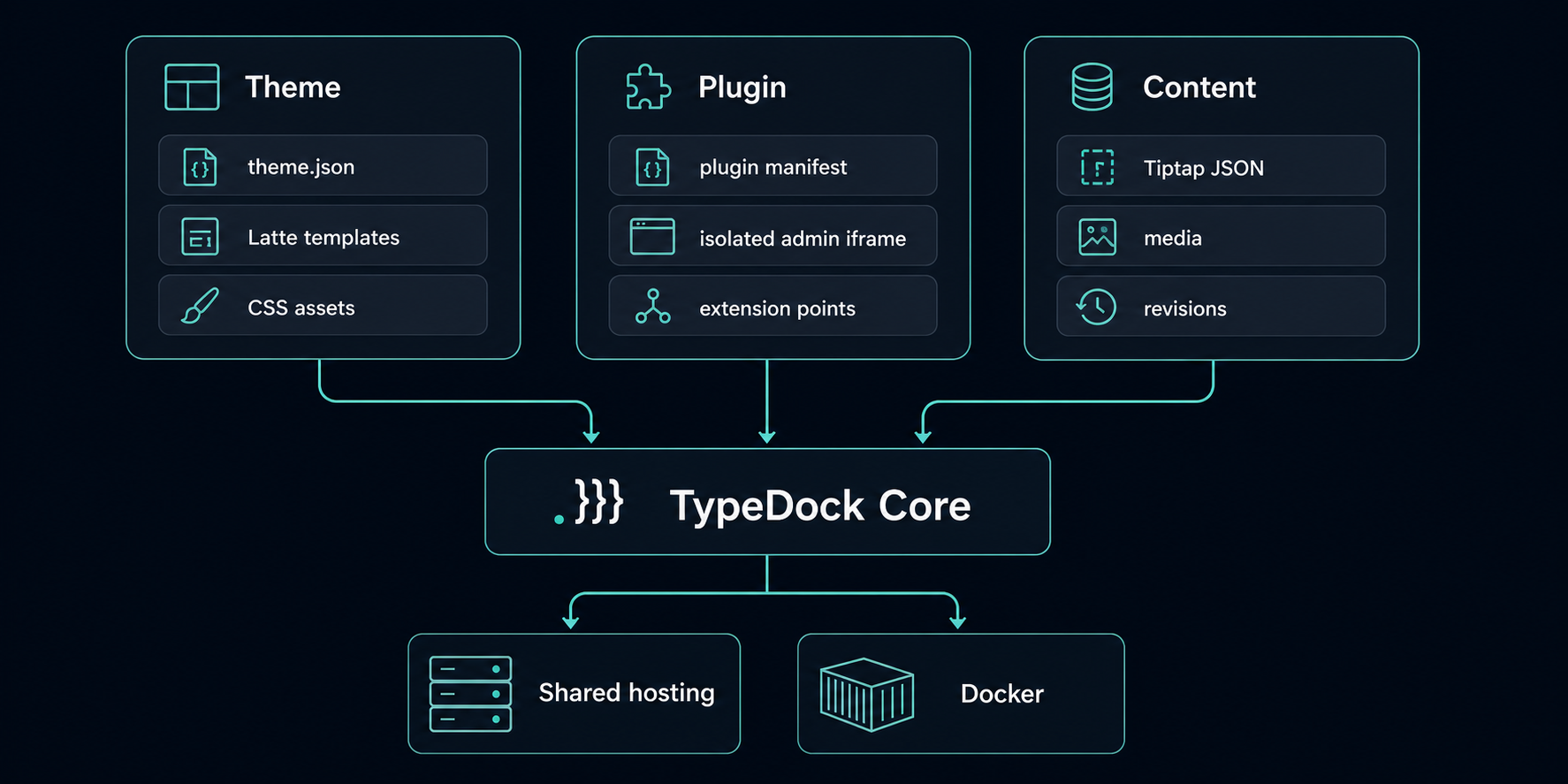
TypeDock themes work differently. A theme is a theme.json file plus Latte templates and CSS. That is it.
The theme.json file declares everything the theme wants from the system:
{
  "name": "my-theme",
  "version": "1.0.0",
  "settings": [
    {
      "key": "accent_color",
      "type": "color",
      "label": "Accent color",
      "default": "#00c9a7"
    }
  ],
  "menus": [
    { "key": "header_nav", "label": "Header navigation" },
    { "key": "footer_nav", "label": "Footer navigation" }
  ],
  "slots": [
    { "key": "sidebar", "label": "Sidebar" },
    { "key": "after_content", "label": "After content" }
  ],
  "fetch": [
    {
      "key": "latest_posts",
      "resource": "posts",
      "limit": 5,
      "order": "published_at:desc"
    }
  ]
}
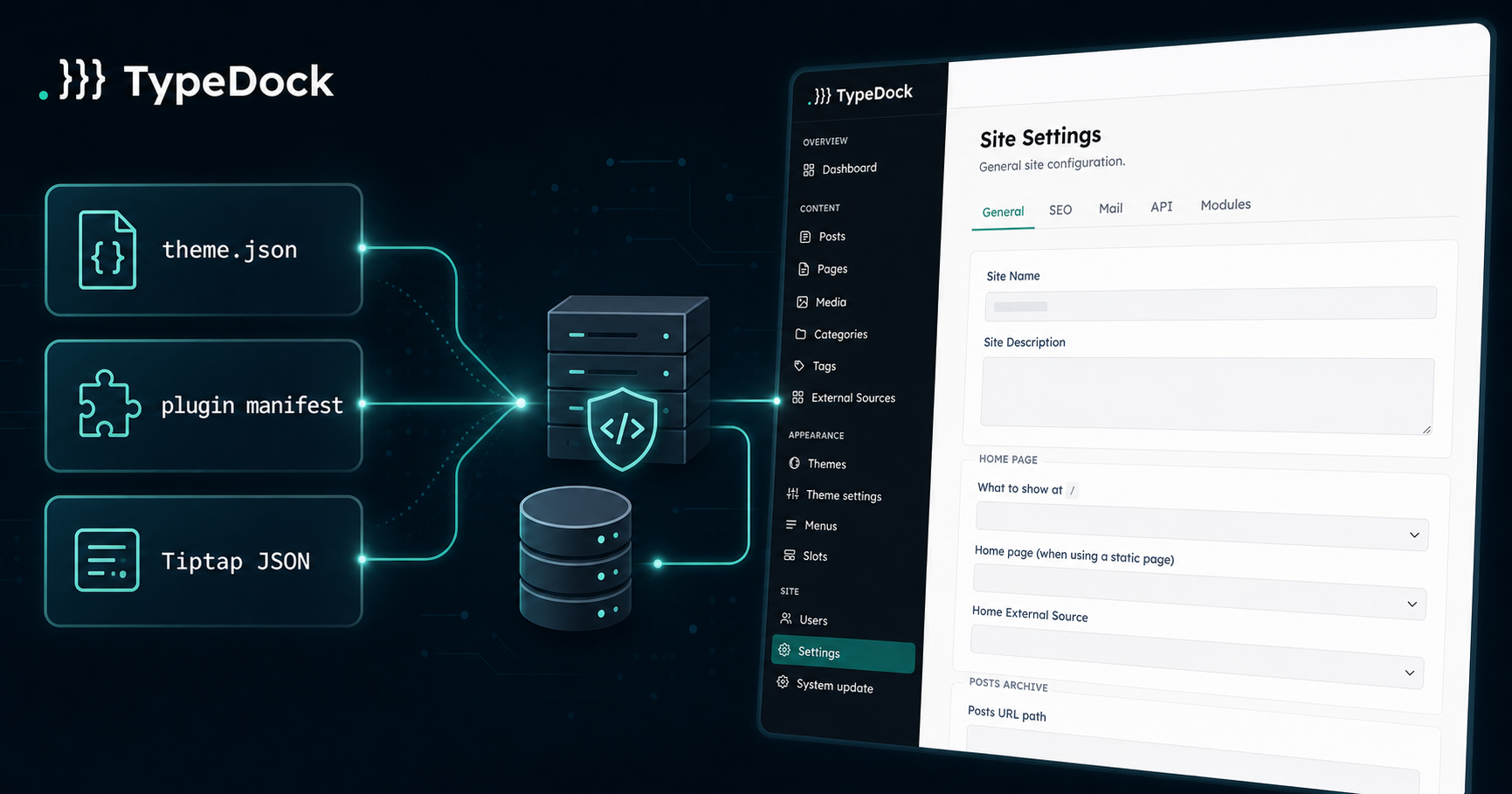
TypeDock reads this declaration and exposes settings controls in the admin, populates named menu regions, renders slot content from the plugin or admin configuration, and runs the latest_posts query — injecting $fetch.latest_posts into the template context.
A Latte template consumes all of this without a single database call of its own:
{* layouts/home.latte *}
{extends 'base.latte'}

{block content}
  <ul class="post-list">
    {foreach $fetch->latest_posts as $post}
      <li>
        <a href="{$post->url}">{$post->title}</a>
        <time>{$post->published_at|date:'Y-m-d'}</time>
      </li>
    {/foreach}
  </ul>
{/block}
The template cannot reach the database. It cannot define hooks. If it needs data, it must declare the fetch in theme.json. This constraint is the point: it makes themes auditable. You can read theme.json and know exactly what a theme touches before you install it — or before a coding agent modifies it.
Plugins Declare What They Touch
Plugins in TypeDock extend the CMS through explicit, declared extension points. Admin UI added by a plugin runs in an isolated iframe rather than injecting JavaScript directly into the admin shell.
This is a different trade-off from WordPress plugins, which can intercept any admin page, overwrite any hook, and display UI anywhere. TypeDock's model is intentionally more constrained.
To be clear: TypeDock does not yet have a large plugin ecosystem. This is an early release candidate. The plugin architecture exists as a contract, and the hope is that the contract produces a healthier ecosystem over time — one where plugins are easier to reason about and safer to install on client sites.
Content Is Structured
TypeDock stores post and page content as Tiptap JSON rather than raw HTML.
This matters for three reasons. First, the editor UI can be richer and more controlled without parsing arbitrary HTML. Second, the content model is a proper AST — predictable to traverse, transform, or export. Third, it is a cleaner substrate for future automation: a coding agent writing a content migration script works against a known schema, not a soup of <div> tags and inline styles.
The tradeoff is that content created in TypeDock is not immediately portable to systems expecting HTML. TypeDock renders Tiptap JSON to HTML on output; migration tooling for import and export is part of the early roadmap.
Deployment Still Matters
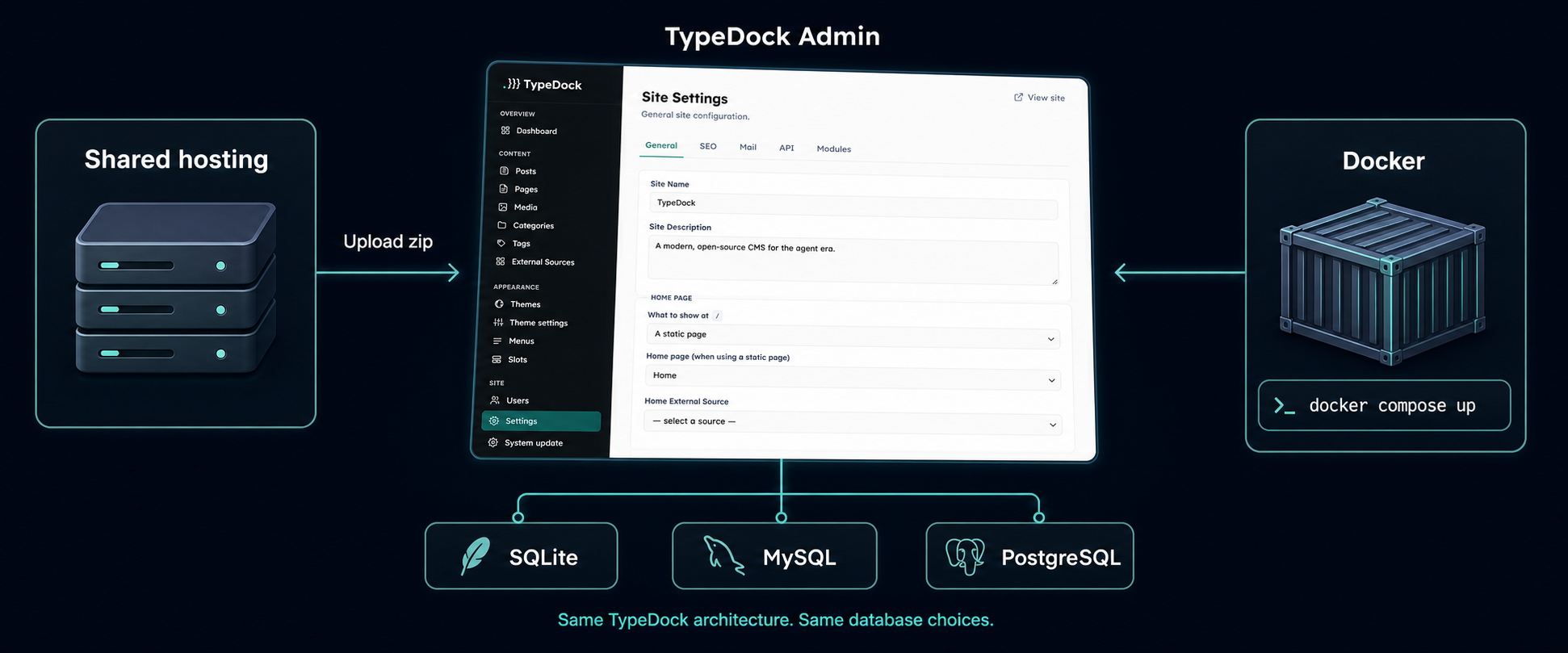
TypeDock runs on PHP 8.2+ and supports SQLite, MySQL, and PostgreSQL. It can be deployed as a zip upload to ordinary PHP shared hosting or as a Docker container — the same codebase, the same architecture, either way.
For a small agency shipping a client brochure site, this is significant. There is no Node runtime to maintain, no build step required for the admin, and no separate database instance required if SQLite is sufficient for the traffic profile.
The admin itself is server-rendered. There is no single-page JavaScript shell that requires an API layer to function. This is a deliberate choice: simpler infrastructure for the class of sites TypeDock targets.
What Release Candidate Means
TypeDock is a release candidate. That word carries a specific meaning here: the architecture is stable enough to build on, but this is not the right CMS to drop into a high-stakes production site without testing it first.
What "usable" looks like today:
You can install TypeDock, create content, upload media, and publish a working site.
The admin covers posts, pages, media, categories, tags, menus, slots, SEO, search, users, RBAC, 2FA, and API keys.
Theme development is documented and a default theme exists to learn from.
The upgrade path provides preflight checks and does not self-rewrite your files.
External-source mode can pull from Contentful, GitHub Issues, or a generic JSON API.
What "still early" means:
The plugin ecosystem is minimal.
Some documentation pages are stubs.
There are likely install friction points that only wider testing will reveal.
Migration tooling is limited.
The most valuable thing you can do at this stage is install it, build something small, and report what broke or confused you.
Try It
GitHub: github.com/typedock/typedock — browse the source, open an issue, or leave a star if this direction interests you.
Docs: typedock.com/docs — start with the install guide or the theme development reference.
Install tutorial: Coming shortly — a step-by-step guide to getting TypeDock running on shared hosting with SQLite in under 15 minutes.
If you are building a client site, maintaining legacy WordPress installs, or experimenting with coding agents for CMS scaffolding, TypeDock is worth 15 minutes to evaluate. The feedback that is most useful right now is: does the install work for you, and does the theme architecture make sense in practice?